Tradie Flow

New: Teams management is coming this month

Run your trade business from one app.

Job requests with photos, quotes, invoices, bookings and client messages, all on your phone. Your clients use a simple web page, so there's nothing for them to install.

  • 7 days free, no card needed
  • Clients don't download anything
  • Made in Australia
  • Requests with photos
  • GST quotes and invoices
  • No double bookings
  • No ads, no tracking
Inside the app

Everything a job needs, start to finish.

Built with a landscaping business first, and made for any trade: builders, electricians, plumbers, cleaners, fencers and more.

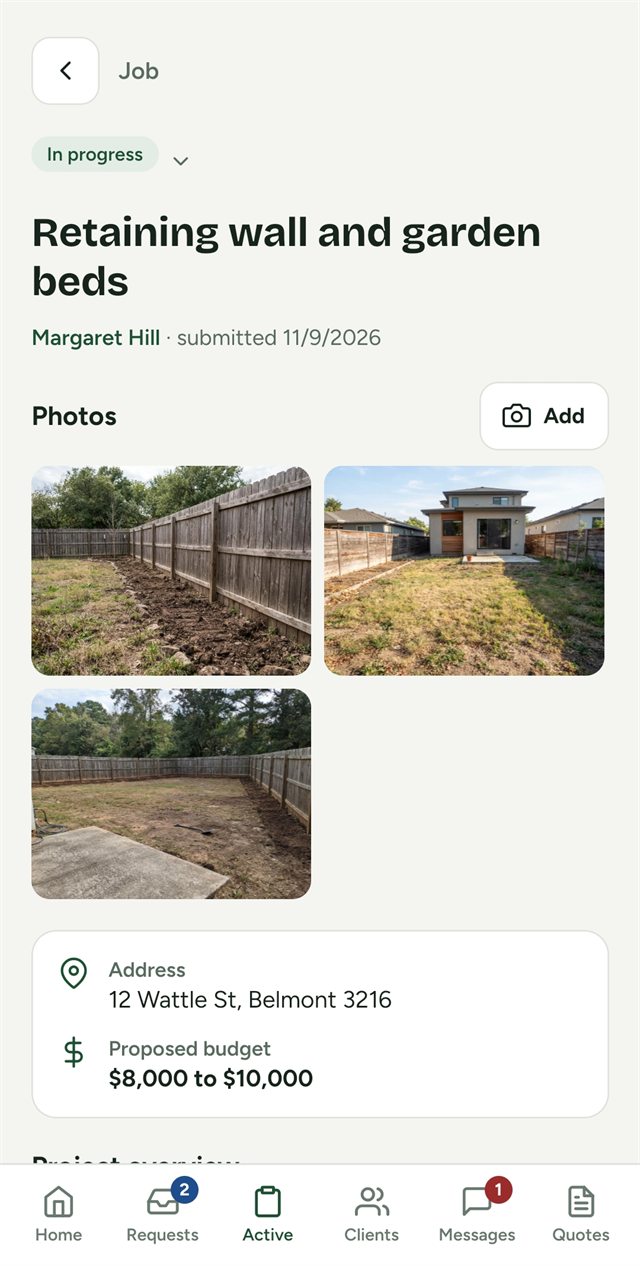
A job in Tradie Flow: retaining wall and garden beds, with the client's site photos, address and budget.
Requests

Job requests that arrive ready to quote.

Send clients your business's own sign-up link. They describe the job, add site photos, files, the address and their budget, and it lands straight in your Requests.

  • Photos and files kept on the job, not lost in your camera roll
  • Tap the address for directions
  • Phoned-in work? Add the client and job yourself
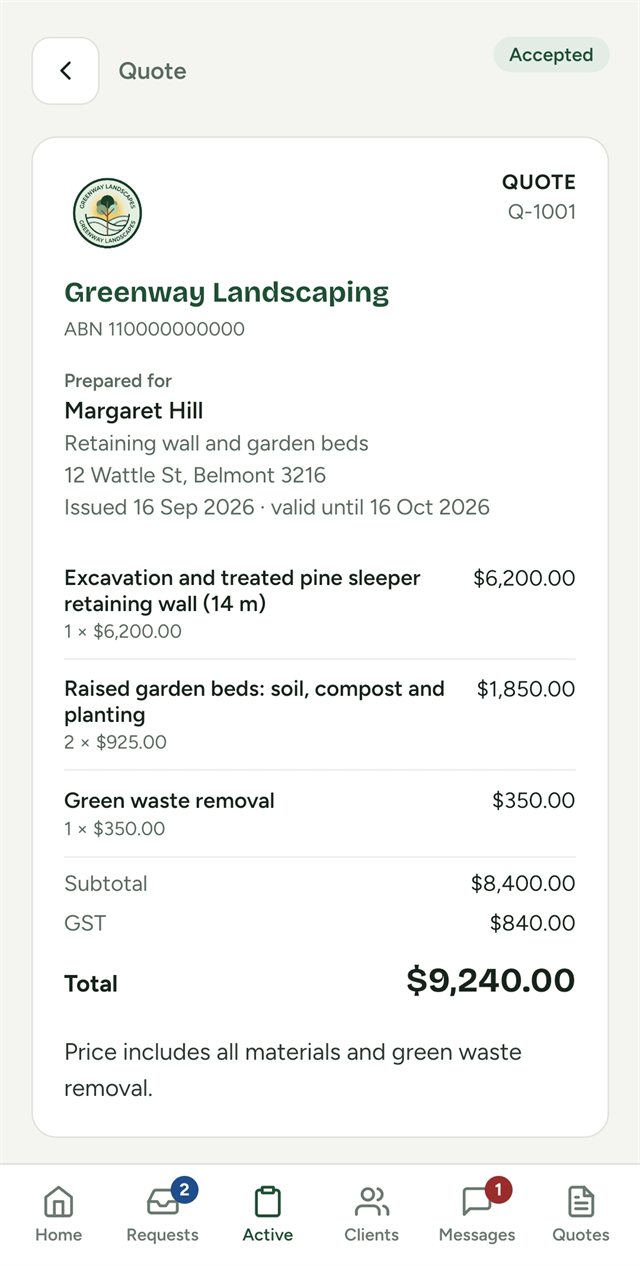
A quote from Greenway Landscaping with line items, GST and a total of $9,240, marked accepted.
Quotes and invoices

Quote on site, get paid without chasing.

GST worked out for you. Clients accept quotes online with one tap, and an accepted quote turns into an invoice without retyping a thing.

  • Your logo, ABN and bank details on every page
  • Share any quote or invoice as a PDF by email or text
  • Friendly reminders for anything still owing
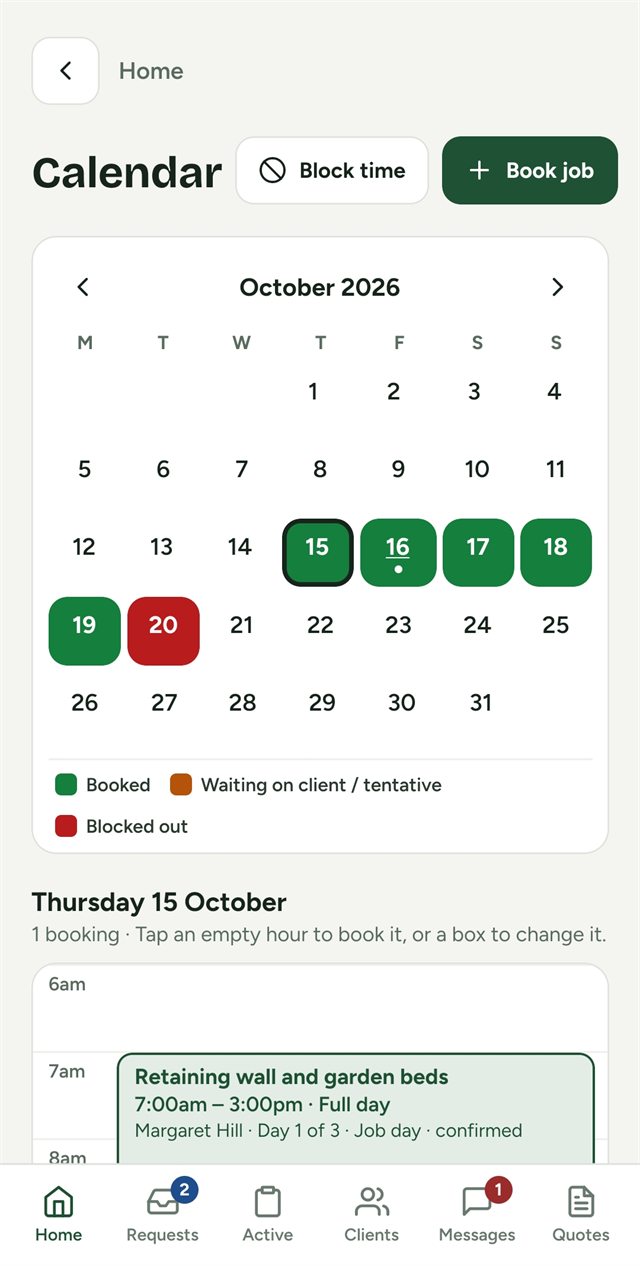
The Tradie Flow calendar for October, with booked days in green, a blocked day in red and the day's timeline below.
Calendar

A calendar that won't double-book you.

See booked, pending and blocked days at a glance. Book site visits and multi-day jobs, block out holidays and supplier runs, and pin the start times you use most.

  • Multi-day jobs, with weekends skipped if you like
  • Nothing can be booked over something else
  • Ask a client to confirm, and see their answer
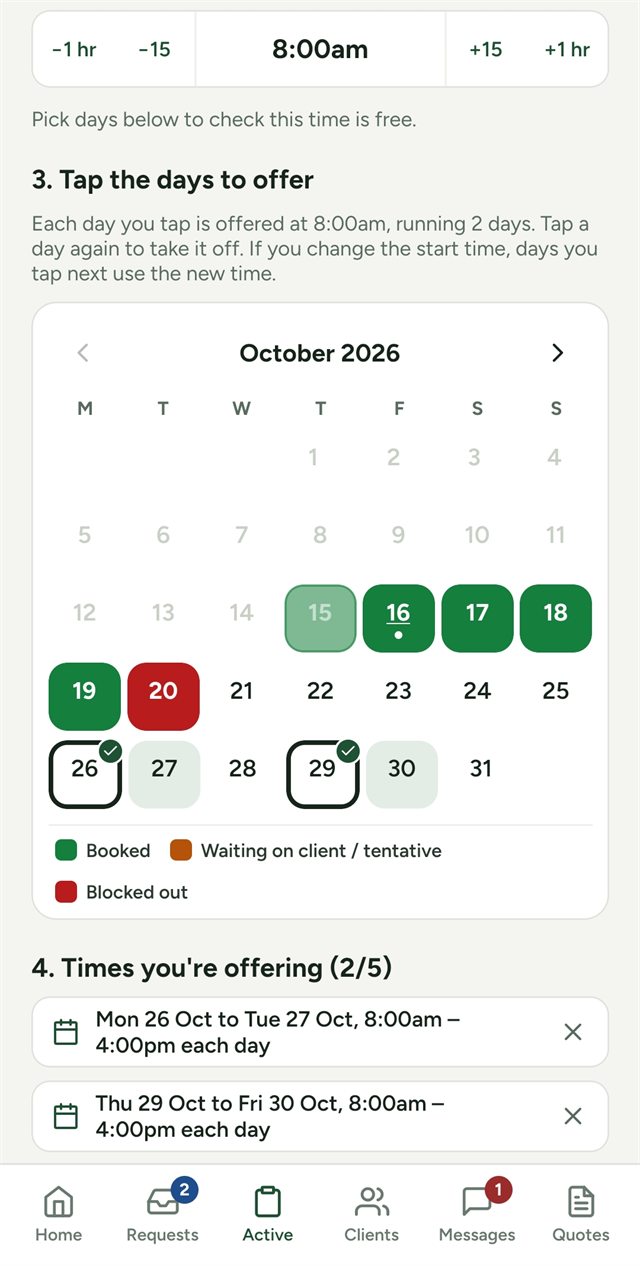
Sending times: a start time of 8am and two date ranges tapped on the calendar to offer the client.
Send times

Let clients pick a time that suits.

Choose a start time, tap a few days on the calendar and send them. Your client picks one on their phone and it's booked. No back-and-forth texts.

  • Offer up to five options at once
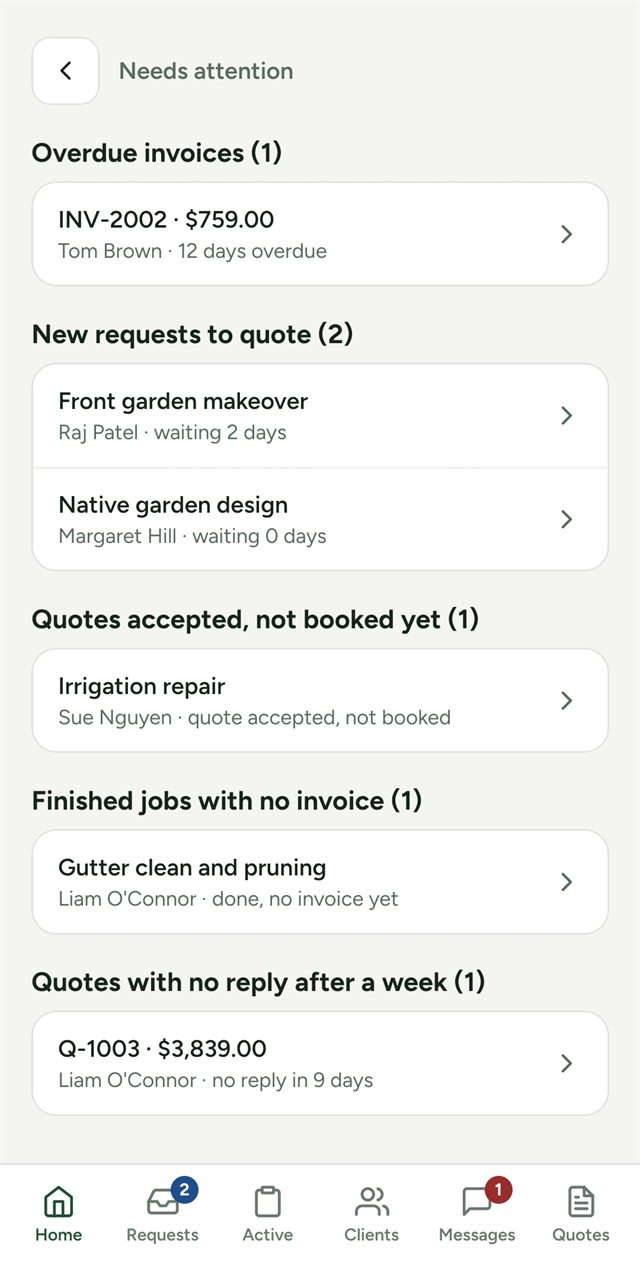
The Needs attention list: an overdue invoice, new requests to quote, an accepted quote not booked and a finished job with no invoice.
Needs attention

Nothing slips through the cracks.

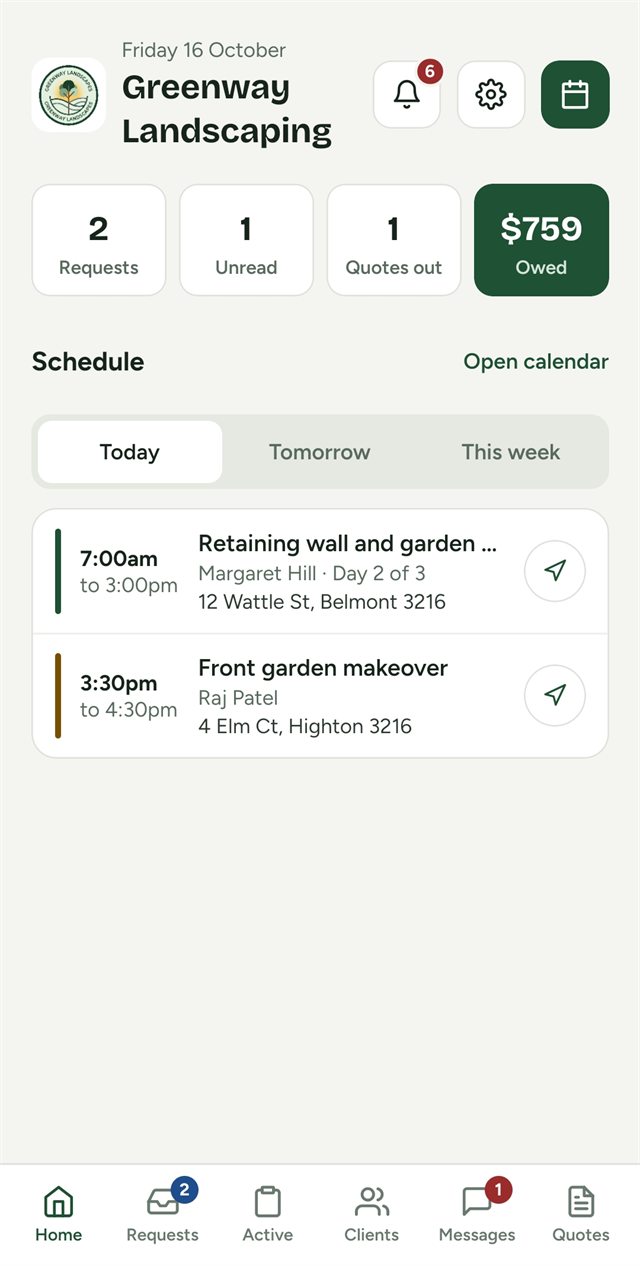
Home shows today, tomorrow and the week ahead. The Needs attention bell keeps a running list of everything waiting on you, most urgent first.

  • Overdue invoices and quotes with no reply
  • Requests waiting for a quote
  • Accepted jobs not booked, and finished jobs not invoiced
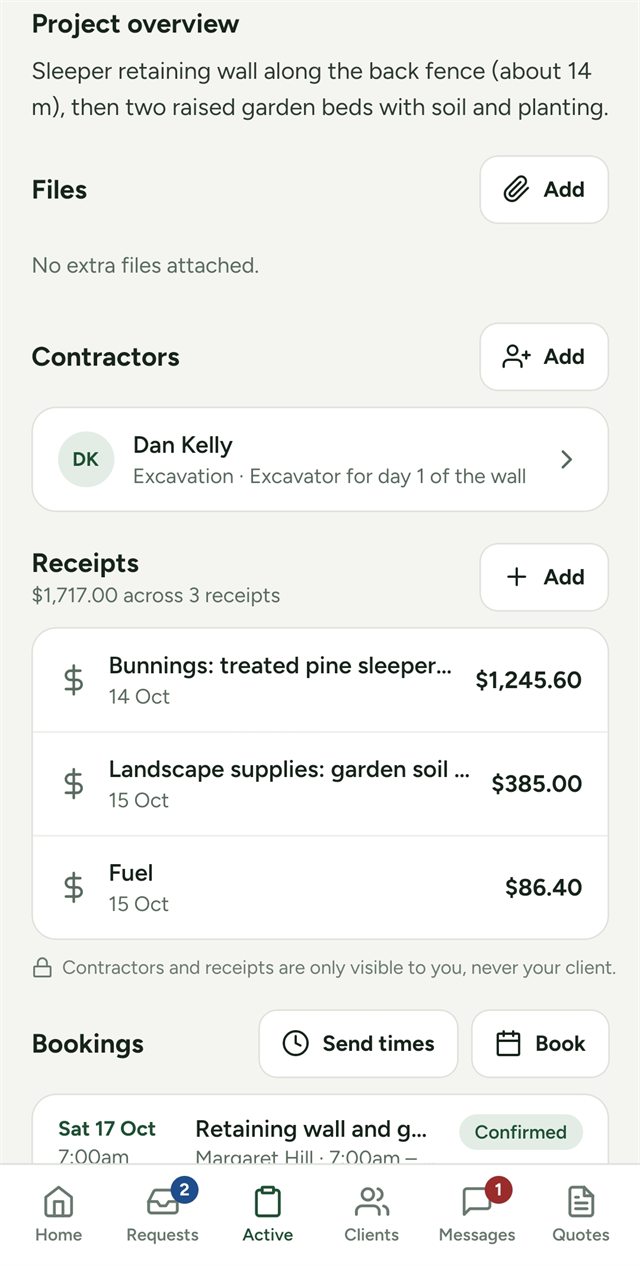
A job's contractors and receipts: an excavation contractor linked to the job, and three receipts totalling $1,717.
Job costs

Receipts and contractors, private to you.

Snap a receipt with its amount and a note to keep track of what each job costs. Keep your contractors' details and put them on the jobs they're working.

  • A running cost total on every job
  • Call, text or email a contractor in one tap
  • Your clients never see either
On your computer

Bigger jobs are easier at a desk.

Open Tradie Flow in any web browser on your laptop or PC. Same account, same jobs and clients, so anything you do at your desk is on your phone straight away.

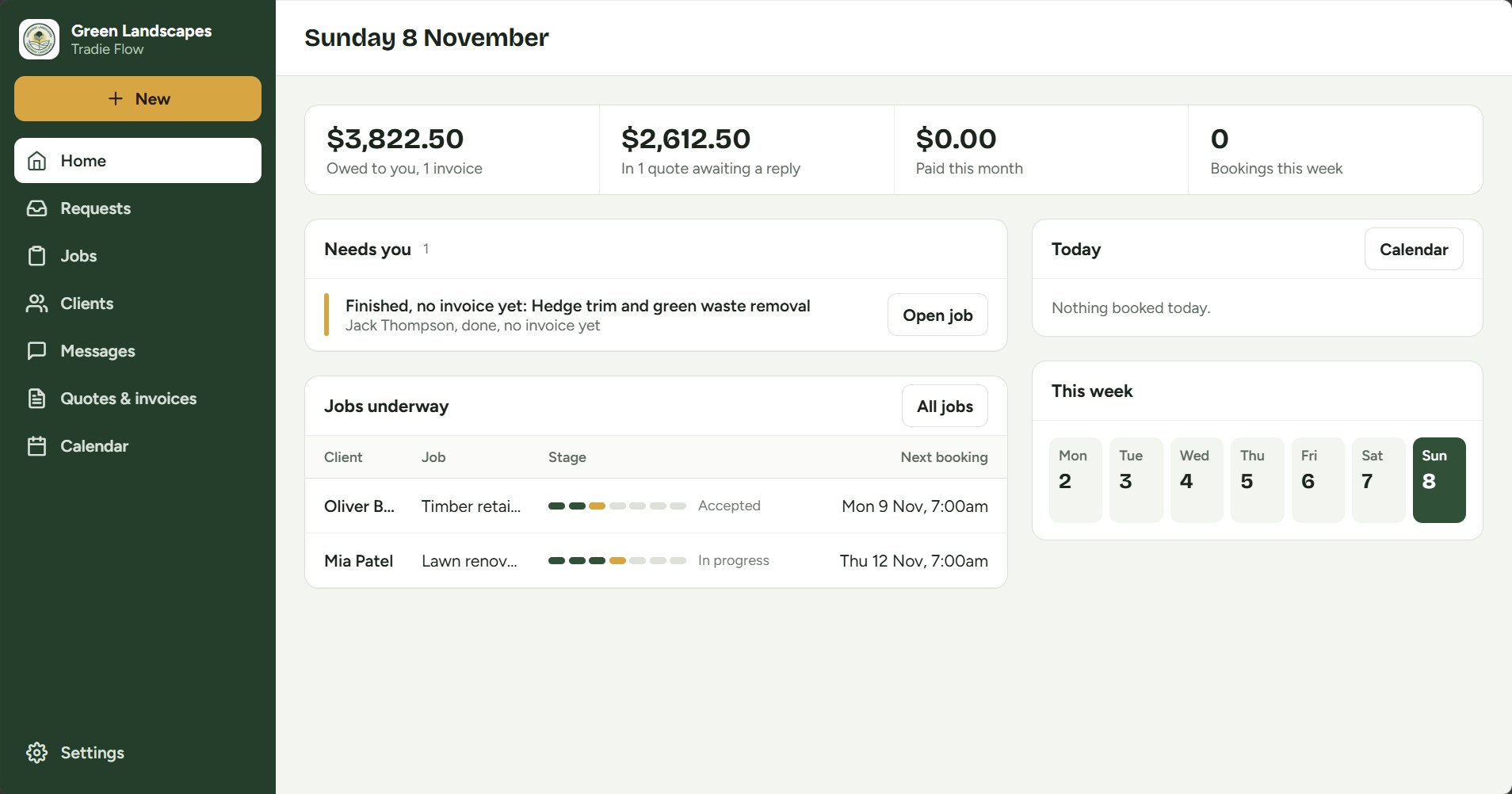
Tradie Flow on a computer: the Home page with money owed, quotes awaiting a reply, a Needs you list and today's bookings.

Start the day with what's owed, what's waiting on a reply and what needs you, each with a button to deal with it.

Type quotes on a keyboard

Line items in a grid: Tab moves across, Enter adds the next line, and totals and GST update as you type. Print or save a polished PDF in one click.

Your whole week at a glance

Week and month calendars, and a booking form that shows the day beside it, so you can see clashes before you save.

Every job's progress, in one row

Each job shows where it's up to, from request to paid, with the next step and a button to take it.

Open Tradie Flow on your computer

Sign in with the account you set up in the app. Included in your subscription at no extra cost.

Also included

The little things that save the most time.

No add-ons or extra tiers. Every business gets all of it.

Messages in one thread

Every conversation with a client in one place, plus ready-made texts sent from your own phone that link to the right page.

Clients see the progress

Each job moves from request to quote, booking and done, so clients don't have to call to ask where things are up to.

Clients who aren't online

Add a client yourself and run their jobs in the app. If they join the web page later with the same email, everything carries across.

Every client, one tap away

Each client's page has their jobs, quotes and invoices, with buttons to call, text or message them.

Your brand, front and centre

Your logo, business name, ABN and bank details on every quote and invoice, and on your own home screen.

Private and secure

Each business's clients and jobs are kept apart, photos are private, and your jobs and documents are stored in Sydney.

How it works

Up and running in an afternoon.

You use the Tradie Flow app. Your clients use a simple web page from any phone or computer.

  1. Share your linkSend clients your business's own sign-up link. They join in a minute, with nothing to download.
  2. Get the request, send the quoteRequests arrive with photos and the address. Quote from your phone, and the client accepts with one tap.
  3. Book it, invoice it, doneBook the days, finish the job, send the invoice with your bank details, and mark it paid.
Pricing

One simple subscription.

One price per business, with everything included and a lower price for your first months. Your clients never pay anything.

Monthly Intro offer A$24.99

a month for your first 6 months, then A$34.99 a month. Cancel any time.

  • Every feature, unlimited clients and jobs
  • Client web app included
Yearly Best value A$249.99

for your first year, about A$21 a month, then A$349.99 a year

  • Everything in Monthly
  • Best value for a full year of work

Every new business gets 7 days free with no card needed, then the intro price when you subscribe. Intro prices are for new subscribers. If you don't subscribe, your business stays readable and your clients can still use their side; you just can't add or change anything until you do. Billed through Google Play or the App Store.

Help

Questions, answered.

Anything else, email brashdigitalapps@gmail.com and we'll get back to you.

Do my clients need to download an app?

No. Clients use the Tradie Flow web app at tradieflow.brashdigital.com.au through your business's sign-up link. They can add it to their home screen if they like.

Can clients pay through Tradie Flow?

Not directly. Invoices show your bank details, clients pay by bank transfer, and you mark the invoice paid. There are no card fees taken from your jobs.

What if a client won't use the web page?

Add them yourself in the app. You can still create jobs, quotes, invoices and bookings for them, and share quotes and invoices as PDFs by email or text.

I'm a client and forgot my password

On the sign-in page at tradieflow.brashdigital.com.au, enter your email and tap Forgot password. A reset link will arrive by email.

How do I cancel my subscription?

Subscriptions are managed by the store you bought through. On Android, open Google Play → your profile → Payments and subscriptions. On iPhone, open Settings → your name → Subscriptions.

How do I delete my account?

In the app, go to Settings → Delete account, or use the delete account page. This permanently deletes your business and its data.

Spend less time on paperwork.

Tradie Flow is out now on the App Store and Google Play. Try it free for 7 days, no card needed.

Download on the App Store Get it on Google Play